 Hide Table of Contents
 About the API
Getting Started
Working with the API
Popups and Info Windows
Using the RouteTask
Using the Geoprocessor
Mobile
Recommendations
ArcGIS Server Services
What's New archive
About the API
Getting Started
Working with the API
Popups and Info Windows
Using the RouteTask
Using the Geoprocessor
Mobile
Recommendations
ArcGIS Server Services
What's New archive
Define popup content
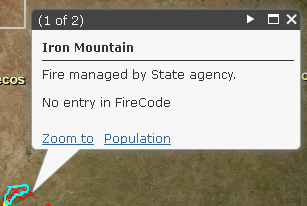 Developers can define the popup content using the
setContent
and
setTitle
methods. The content can be either a string or function. View the
Format Info Window Content
help topic for more details.
Note:
the Popup class doesn't support the deferred object option for setting content.
You can also define the content by specifying a template and associating it with
the layer or graphic, see the PopupTemplate section below for more information.
Additional information can be added to the popup's 'action list' section. For example, you could add a link that provides additional information about the selected feature or a link that when clicked executes a geoprocessing tool. View the Popup with Geoprocessing Tool sample for details.
PopupTemplate
The PopupTemplate class extends
esri.InfoTemplate
and allows developers to define templates that include title, description, attachments,
images and charts. These components are then organized in a layout that is identical
to the popup experience in ArcGIS.com.
The PopupTemplate class extends
esri.InfoTemplate
and provides support for defining a layout that can contain the following components:
-
Title - Define the title for the popup using the
titleproperty. -
Description - Custom content, content from one field, name/value content from all
fields. The description content can be defined using the
descriptionorfieldInfos[]properties. -
Media - Images, charts (pie,bar, line). Define media content using the
mediaInfos[]property -
Display Attachments - If the content supports attachments, enable attachments using
the
showAttachmentsproperty.
Content from fields can be used in the popup by specifying the field name in curly brackets, for example: {field name}, note that this syntax differs from the syntax used to define the info template for an info window.
To create a PopupTemplate, define the popup content by creating an object with the
properties listed in the table below.
Note:
Field names can be used in the content by specifying the field name in curly brackets,
for example {description}.
| <String> title | Specify a string value or attribute field for the popup title. | |||||||||||||||||||||||||||||||||||||
| <String> description |
Define the popup content by specifying a string or markup that can include field
names. When null, the description will be constructed using name/value pairs defined
in fieldInfos.
     var popupTemplate = new esri.dijit.PopupTemplate({
      title: "{title}",
      description:"Photos from Flickr Public Stream{description}"
    });
|
|||||||||||||||||||||||||||||||||||||
| <Object[]> fieldInfos |
An array of field information. The order of the fields in the array defines how
the fields will display in the popup. Field infos can contain the following properties:
|
|||||||||||||||||||||||||||||||||||||
| <Boolean> showAttachments | When true, display attachments for feature layers that have attachments enabled. | |||||||||||||||||||||||||||||||||||||
| <Object[]> mediaInfos |
Define images, charts (pie, bar, line) to display in the popup. MediaInfos is an
array of objects with the following options.
|
Examples
Single field
The popup template defines that the title and description for the popup will come
from fields. In popups the field is defined using the
{field name}
syntax.
var popupTemplate = new esri.dijit.PopupTemplate({
  title: "{title}",
  description: "{description}"
});
Multiple fields
Template with content from multiple fields defined using
fieldInfos[]
. Fields can be
template = new esri.dijit.PopupTemplate({
  title: "Age Distribution in {FIPS}",
  fieldInfos: [{
    fieldName: "AGE_UNDER5",
    visible: true,
    format: {
      places: 0
    }
  }, {
    fieldName: "AGE_5_17",
    visible: true,
    format: {
      places: 0
    }
  }, {
    fieldName: "AGE_18_21",
    visible: true,
    format: {
      places: 0
    }
  }, {
    fieldName: "AGE_22_29",
    visible: true,
    format: {
      places: 0
    }
  }, {
    fieldName: "AGE_30_39",
    visible: true,
    format: {
      places: 0
    }
  }, {
    fieldName: "AGE_40_49",
    visible: true,
    format: {
      places: 0
    }
  }, {
    fieldName: "AGE_50_64",
    visible: true,
    format: {
      places: 0
    }
  }, {
    fieldName: "AGE_65_UP",
    visible: true,
    format: {
      places: 0
    }
  }]
});
Pie Chart
Template that defines a popup chart:
// legacy
template = new esri.dijit.PopupTemplate({
  title: "Age Distribution in {FIPS}",
  mediaInfos: [{
    type: "piechart",
    value: {
      fields: ["AGE_UNDER5", "AGE_5_17", "AGE_18_21", "AGE_22_29", "AGE_30_39", "AGE_40_49", "AGE_50_64", "AGE_65_UP"],
      theme: "Julie"
    }
  }]
});
Image
Template that displays an image in the media section:
// legacy
template = new esri.dijit.PopupTemplate({
  title: "Parcel Photos",
  mediaInfos: [{
    "title": "",
    "caption": "",
    "type": "image",
    "value": {
      "sourceURL": "{link}",
      "linkURL": "{link}"
    }
  }]
});